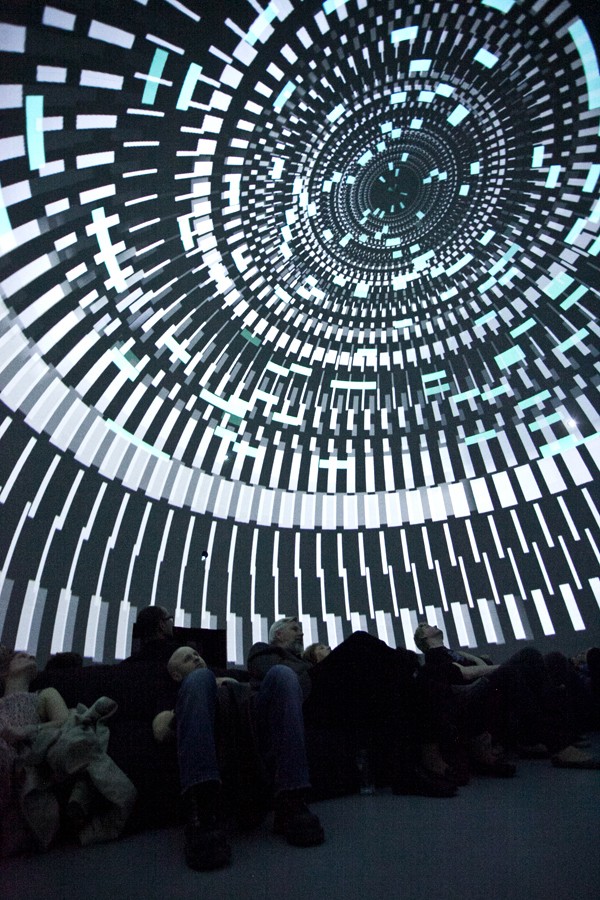
There's a moment that every first-time dome audience member knows. The lights dim, the circle overhead ignites, and suddenly the room is gone. You're not watching a screen — you're inside something. That experience, usually reserved for pre-rendered shows built over months, is now happening live. Musicians coding sound while geometry blooms across a hemisphere. VJs mixing fisheye clips to a crowd of 200 people lying on the floor. Artists improvising light and space in real-time.
Live fulldome performance is technically demanding, surprisingly diverse, and growing faster than most of the industry realizes. This guide maps the major approaches — from game engines to live coding — so you can find your entry point.
🎯 The Fundamental Challenge
Before you choose a tool, understand what makes the dome hard.
A fulldome screen covers 180°. Your output format is a domemaster — a circular fisheye image, typically 4096×4096 pixels, that a projector with a fisheye lens throws onto the hemisphere. Unlike flat screens, you can't just point a camera at a scene. You need to render the entire surrounding environment, compress it into that circle, and do it fast enough to fool the eye.
The standard approach: render 6 cube faces of your scene (front/back/left/right/up/down), then run a reprojection shader to squash them into equidistant fisheye geometry. It's an extra rendering pass on top of your already-demanding 4K output. Every tool in this guide handles this differently — some natively, some via custom shaders, some barely at all.
Then there's the audio. Dome acoustics are spatial. A proper dome show has speakers covering the hemisphere, and the ideal output is ambisonics — a speaker-layout-agnostic soundfield format that encodes direction and decodes to whatever speaker array the venue has. Higher Order Ambisonics (HOA, 3rd order and up) gives you the spatial resolution you need. This requires entirely different tools than a stereo mix.
Now add the "live" constraint: all of this must happen in real-time, with sub-100ms response to input.
TouchDesigner
If there's one tool that the live dome community has converged on, it's TouchDesigner by Derivative. The reasons aren't mysterious: it has a native Fisheye Camera component that does exactly what you need, its node-based visual programming is fast to iterate, and its CHOP (Channel Operator) system handles audio analysis with genuinely no friction.
Plug in a microphone, drop an Audio Spectrum CHOP, and route the FFT values directly to a shader parameter. Done. Your visuals react to sound in ten minutes. That immediacy is why TD is disproportionately popular in dome performance contexts.
The fisheye camera uses an equidistant projection by default — correct for most planetariums. The companion Kantan Mapper palette component handles multi-projector setups with soft-edge blending, for free, without leaving the software. Performance at 4K is real and achievable on an RTX 3080 or better — expect 30–60fps depending on your shader complexity.
Weakness: Not primarily an audio synthesis tool. For spatial dome audio, you'll be bridging out — via OSC — to something like SuperCollider.
SuperCollider + ATK
SuperCollider is the other anchor of live dome work — not for visuals, but for sound. Specifically, for ambisonics.
The Ambisonic Toolkit (ATK) for SuperCollider (currently v5.0.7) is a serious, research-grade HOA implementation. It handles First and Higher Order Ambisonics — encoders that place sound in 3D space, decoders that render to your dome's speaker array, transformers that rotate and zoom the soundfield in real-time. Install it via SC's Quarks system in one line of code.
What you get is a live-coded ambisonics engine. Write a Synth, place it at coordinates, move it. Use OSCFunc to receive position data from a visual system. It's expressive, low-latency (2–20ms depending on buffer size), and free.
The classic combo: SC audio + TD visuals, linked by OSC — this is the most common serious live dome workflow.
Unreal Engine & Unity
The game engine approach offers something the other tools can't: photorealistic real-time 3D, with physically-based rendering, complex lighting, detailed geometry. If your dome show involves virtual environments, landscapes, or anything that needs to look like a real place, Unreal Engine 5 or Unity is the path.
Unreal's nDisplay is the system for driving multi-projector dome rigs. It renders a cluster of machines in sync, each covering a different zone. MetaSounds handles generative audio internally; Wwise integration covers spatial audio with HOA output. The OSC Plugin lets external systems control the experience.
Unity covers similar ground with less ceiling: simpler to set up, good spatial audio via FMOD or Resonance Audio. Paul Bourke's Unity fisheye scripts are freely available and widely used for smaller dome setups.
Honest caveat: Neither engine is designed for the live performance mental model. Adding live control means adding layers: Blueprint logic, OSC bridges. Doable — but artists from the TD or live-coding world will feel the difference.
Max/MSP + IRCAM Spat~
For composers in the academic/electroacoustic tradition, Max/MSP has been the tool since the 1990s. Its Jitter extension adds real-time OpenGL rendering — not as fast as TouchDesigner for dome work, but capable with custom GLSL shaders.
Where Max excels in dome contexts is spatial audio: the IRCAM Spat~ 5 externals (free for non-commercial use) are the gold standard for object-based spatialization. ICST Ambisonics externals (from the Zurich University of the Arts, also free) are another strong option for pure HOA work.
The Max for Live integration with Ableton adds composerly control: sequence events in Ableton's timeline, process them through Max's spatial audio, output to dome speakers.
Resolume Arena
Resolume Arena is how many live dome shows actually happen — not generative, not algorithmic, but a skilled VJ mixing pre-produced fisheye content in real-time, responding to music, energy, and crowd.
The approach is fundamentally different: you build a library of domemaster clips (4K circular video, encoded in Resolume's GPU-optimized DXV codec), set up your output mapping, and perform by mixing. Layers, effects, crossfades. Arena's audio reactivity is strong — amplitude and FFT analysis link to any parameter, BPM detection syncs transitions, Ableton Link keeps everything in time.
It's less generative than TD or code-based approaches, but it's also much more learnable, and a skilled Resolume performer creates something genuinely responsive and expressive.
VVVV
VVVV (pronounced "four v's") is a hybrid visual/textual programming environment for real-time graphics, born from the European new-media art scene. Its current iteration (vvvv gamma) runs on .NET with cross-platform support and GPU-accelerated rendering via Stride/Xenko.
For dome work, VVVV offers cubemap-to-fisheye rendering via custom shaders, Spout/NDI output, and a strong tradition in projection mapping and multi-screen setups. It has a dedicated following in the German and Dutch creative coding communities, and its node-based patching is conceptually similar to TouchDesigner.
Live Coding in the Dome
The live coding scene — algoraves, collaborative browser coding, TidalCycles sets — has been quietly growing a dome presence.
Hydra (by Olivia Jack) is the browser-based visual synthesizer of the algorave world: osc(20, 0.1, 0.8).rotate(0.5).out() — chains of modular functions generating WebGL visuals in real-time. No native dome/fisheye support, but Hydra output can be captured via Spout (Windows) or Syphon (macOS) and piped into TouchDesigner or Resolume for fisheye reprojection.
TidalCycles (Alex McLean) handles sound in the same spirit: algorithmic patterns coded live in Haskell, running through SuperCollider's Dirt synth, with ATK for ambisonics. Combine a TidalCycles audio set with a Hydra visual set, pipe both into a dome, and you have a fully live-coded immersive show.
Python-Based Approaches
Python offers multiple paths into live dome work. TouchDesigner itself is scriptable in Python — the most natural entry point. But beyond TD, custom Python + OpenGL pipelines using ModernGL, Pyglet, or vispy give you complete control over the rendering pipeline.
For audio, pyo is a mature Python DSP library for real-time sound synthesis. Alternatively, use python-osc to control SuperCollider or any OSC-enabled synth from Python scripts. The appeal is total flexibility: if you can code it, you can render it.
📊 At a Glance
| Tool | Dome Output | Spatial Audio | Live Control | Learning Curve | Cost |
|---|---|---|---|---|---|
| TouchDesigner | Native fisheye ★★★★★ | Via OSC bridge | MIDI/OSC/Python | Medium | Free (non-comm) |
| SuperCollider | N/A (audio only) | ATK HOA ★★★★★ | Live coding | Steep | Free |
| Unreal Engine | nDisplay + plugins ★★★★ | MetaSounds / Wwise | OSC / Blueprints | Very steep | Free (rev share) |
| Unity | Custom shaders ★★★ | FMOD / Resonance | C# scripting | Steep | Free (personal) |
| Resolume Arena | Fisheye output ★★★★ | FFT analysis only | MIDI/OSC/DMX | Low | €799 |
| Max/MSP + Jitter | Custom GLSL ★★★ | Spat~ / ICST ★★★★★ | MIDI/OSC/M4L | Medium-steep | $9.99/mo |
| VVVV | Custom shaders ★★★ | Via OSC bridge | MIDI/OSC | Medium-steep | Free (non-comm) |
| Hydra | Via Syphon/Spout ★★ | N/A (visual only) | Live coding | Low | Free |
| Processing / oF | Custom shaders ★★★ | ofxMaxim / Minim | MIDI/OSC | Medium | Free |
🔗 Hybrid Workflows: Where the Real Magic Happens
The best live dome shows almost always combine tools. Some combinations that work:
TouchDesigner → dome visuals (fisheye camera, Kantan Mapper)
SuperCollider → dome audio (ATK ambisonics)
Connected via OSC: SC sends audio analysis; TD sends visual state
Ableton Live → musical material (clips, synthesis, live instruments)
TouchDesigner → dome visuals (Ableton Link for BPM sync, audio input for reactivity)
IEM Plugin Suite in Reaper → HOA ambisonics decoding
Hydra → visuals (browser, captured via Spout/NDI)
TidalCycles + SC + ATK → spatial audio
TouchDesigner → receives visual feed, applies fisheye, outputs to dome
The frame-sharing layer that makes this possible: Spout (Windows) and Syphon (macOS) allow zero-latency GPU texture sharing between applications. Render in openFrameworks or Processing, share to TD for dome output. No encoding, no network, no quality loss. NDI extends this over the network for multi-machine setups.
OSC is the universal control layer. Any tool that speaks OSC can talk to any other. Use it to pass tempo data, audio analysis results, 3D position coordinates for sound objects, or trigger events. The dome becomes a shared space where sound and visuals coexist in the same coordinate system.
🔊 Spatial Audio: Don't Ignore It
The visual side of live dome performance gets most of the attention, but spatial audio is equally important — and often neglected.
The standard: Higher Order Ambisonics (HOA). Encode your soundfield at 3rd order or higher (16+ channels), then decode to your venue's speaker layout. The IEM Plugin Suite (free, from the Institute of Electronic Music and Acoustics in Graz) is the practical entry point: multiband ambisonics encoders, room encoders, binaural preview for headphone monitoring. Install as VST/AU in any DAW.
For more sophisticated work: IRCAM Spat~ 5 in Max/MSP handles irregular speaker arrays and gives you object-based spatialization with per-object distance, orientation, and room characteristics.
The minimum viable dome audio setup: a stereo or ambisonics signal decoded to a simple ring of 8+ speakers. You won't get full-sphere localization, but you'll have the immersion of sound surrounding the audience. From there, the ceiling — literally — is the limit.
🚀 Where to Start
If you're approaching live dome performance for the first time:
Get TouchDesigner (free version). Open the Palette, find the domeProjection component. Preview on a desktop window in fisheye mode before you ever enter a dome.
Learn the fisheye geometry. Paul Bourke's site (paulbourke.net/dome) is the technical bible — bookmark it, read the fisheye math section, understand why your image is circular.
Build a minimal audio-reactive fisheye sketch. Audio Device In → Audio Spectrum CHOP → drive a shader parameter → fisheye camera → window output. This is your foundation.
Add spatial audio slowly. Start with IEM Plugin Suite in Reaper. Feed your audio through the MultiEncoder, binaural decode for headphone preview. Get comfortable with ambisonics before committing to a complex speaker rig.
Try a portable dome. Many cities have inflatable dome operators who rent or partner with artists. An evening in a 5-meter dome with your laptop is worth more than months of studio preparation.
Go live. The dome is waiting.
This article is based on Fulldomizer research into live fulldome performance tools (March 2026). For the full technical reference — covering all 10 approaches in depth with code examples, repos, and artist profiles — see our Live Sets in the Dome reference page.