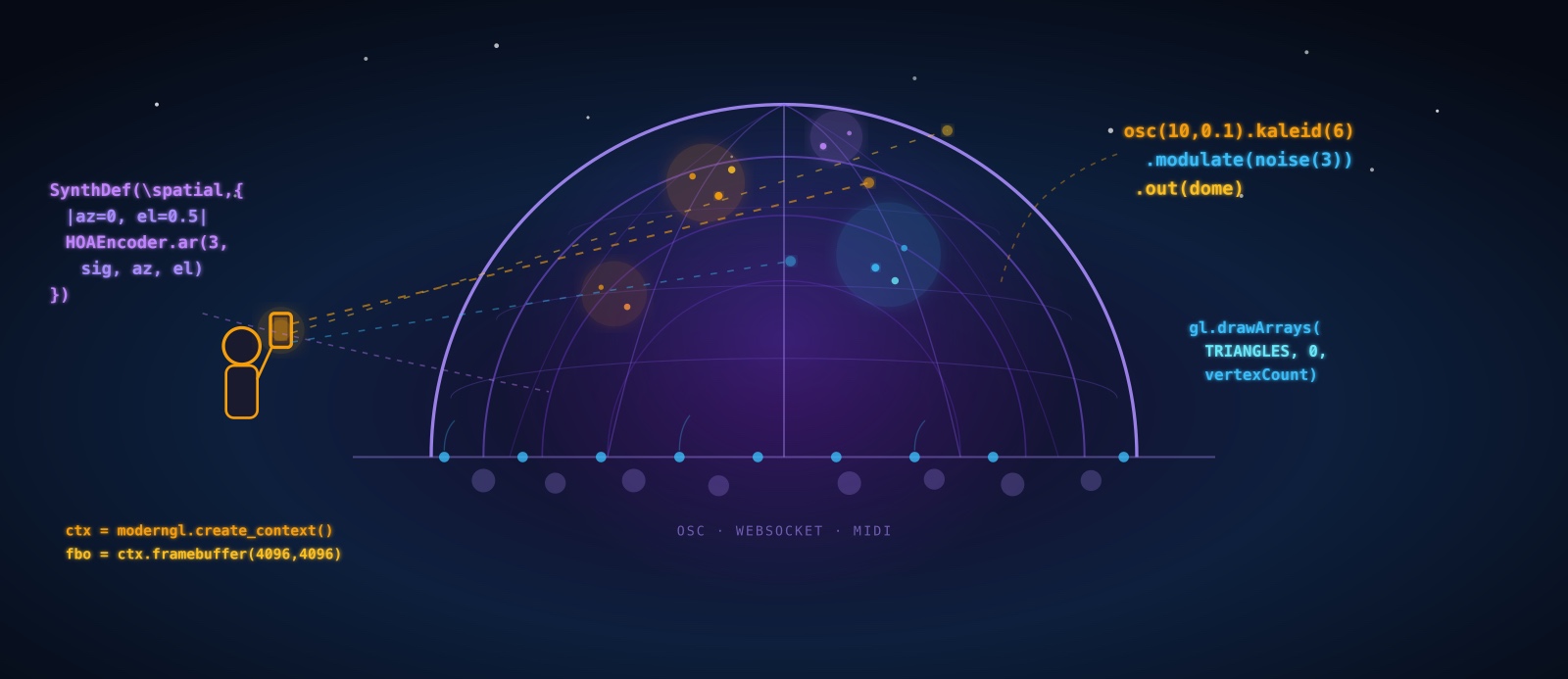
Here's a provocation: what if the most important fulldome tool in 2027 isn't a media server or a shader — but an AI agent that understands both?
The fulldome world is code-heavy. Domemaster geometry requires GLSL shaders. Spatial audio demands ambisonics encoding. Live shows need OSC routing, MIDI mapping, real-time parameter control. Every piece of this stack is programmable — which means every piece is agent-accessible.
This article maps the entire landscape: every major open-source tool for dome audio and video, analyzed in depth. Then we explore something new — agentic workflows, where AI coding agents (like those coordinated by OpenClaw) can generate, modify, and orchestrate dome content through natural language. And finally, the concept that ties it together: the mobile phone as conductor's baton, letting a human director interact with AI agents to shape a live dome show in real-time.
This isn't science fiction. Every tool discussed here exists today. The agentic layer is what's emerging — and it changes everything about who can create for the dome.
🎨 Part 1: Visual Tools — The Complete Open-Source Stack
Every fulldome visual tool must solve the same core problem: render a domemaster — a circular fisheye image (typically 4096×4096 pixels, equidistant projection, 180° FOV) — fast enough for real-time display. Here's every serious option, with the depth each deserves.
To illustrate the kinds of visuals these tools produce, here are five domemaster examples — all generated programmatically with Python + NumPy (no GPU required). Each demonstrates a different technique commonly used in fulldome content creation:

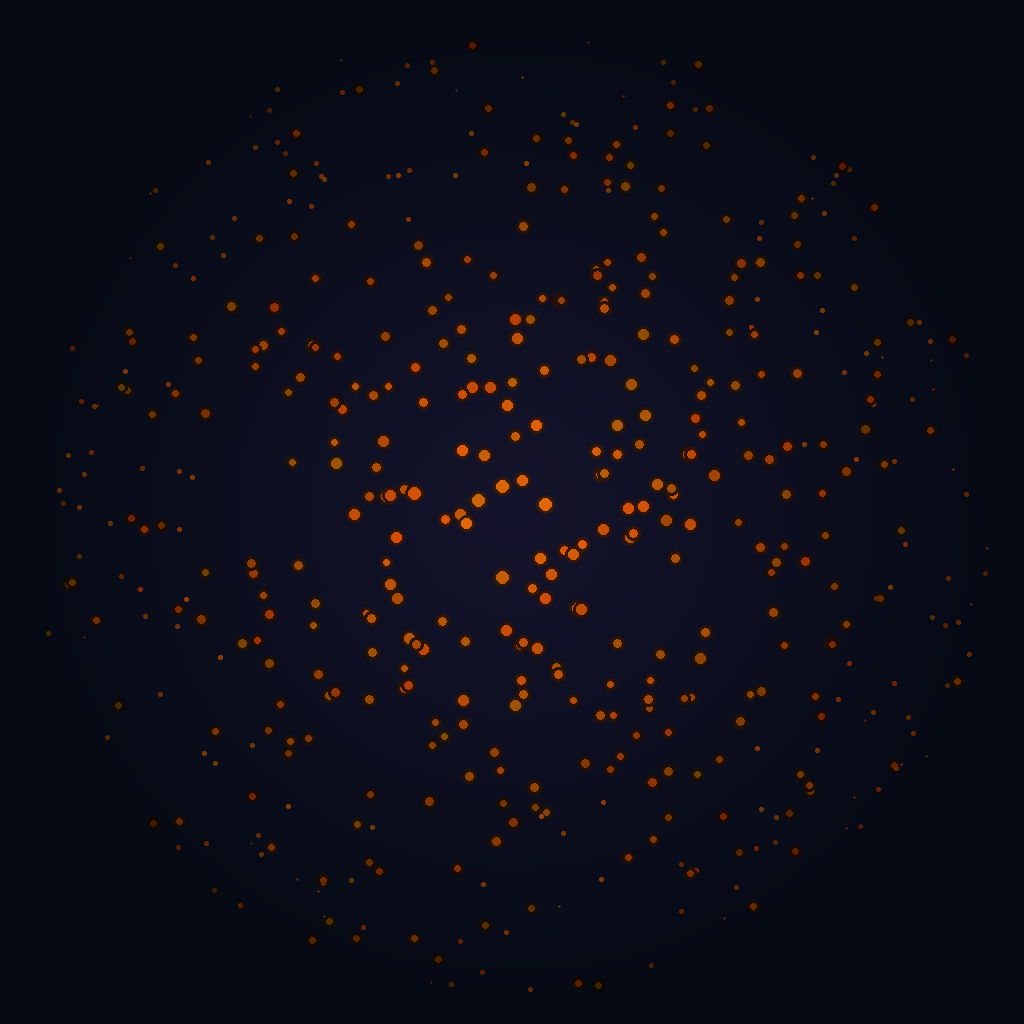
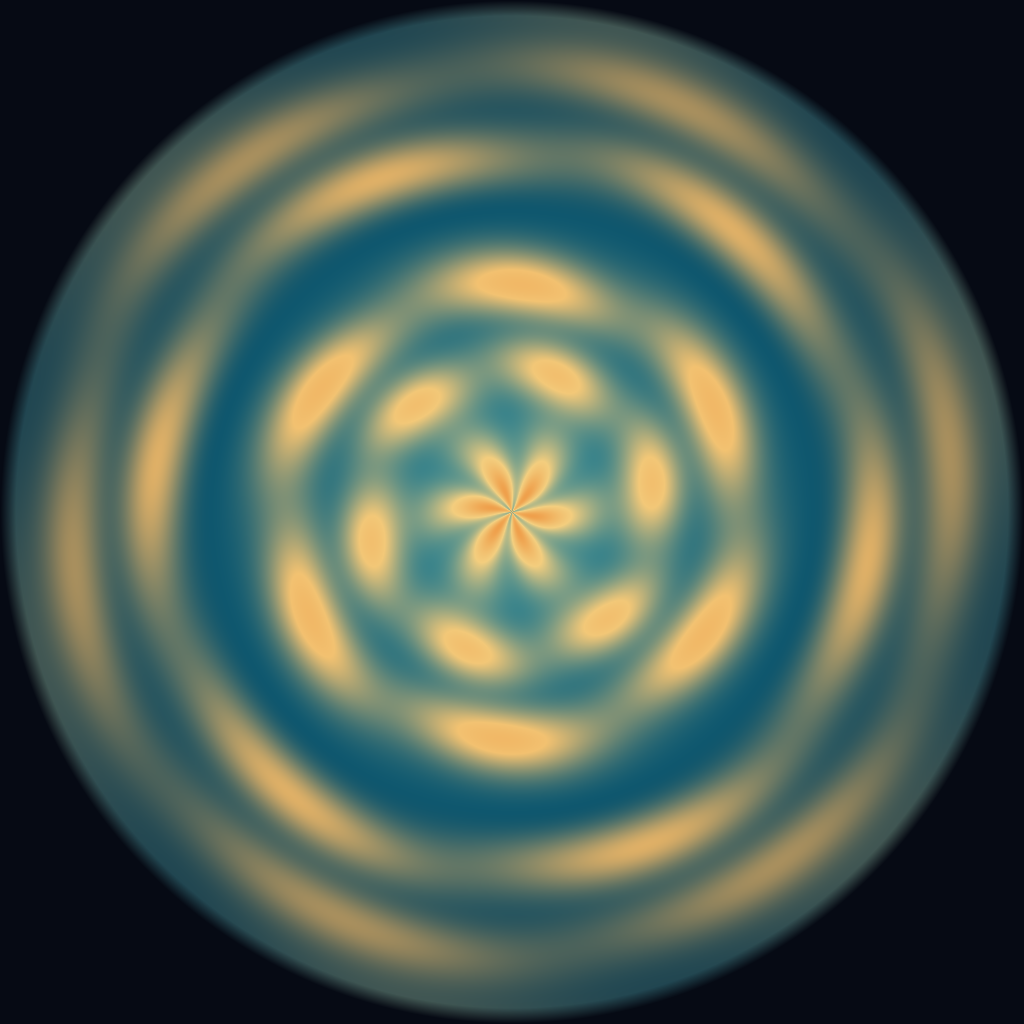
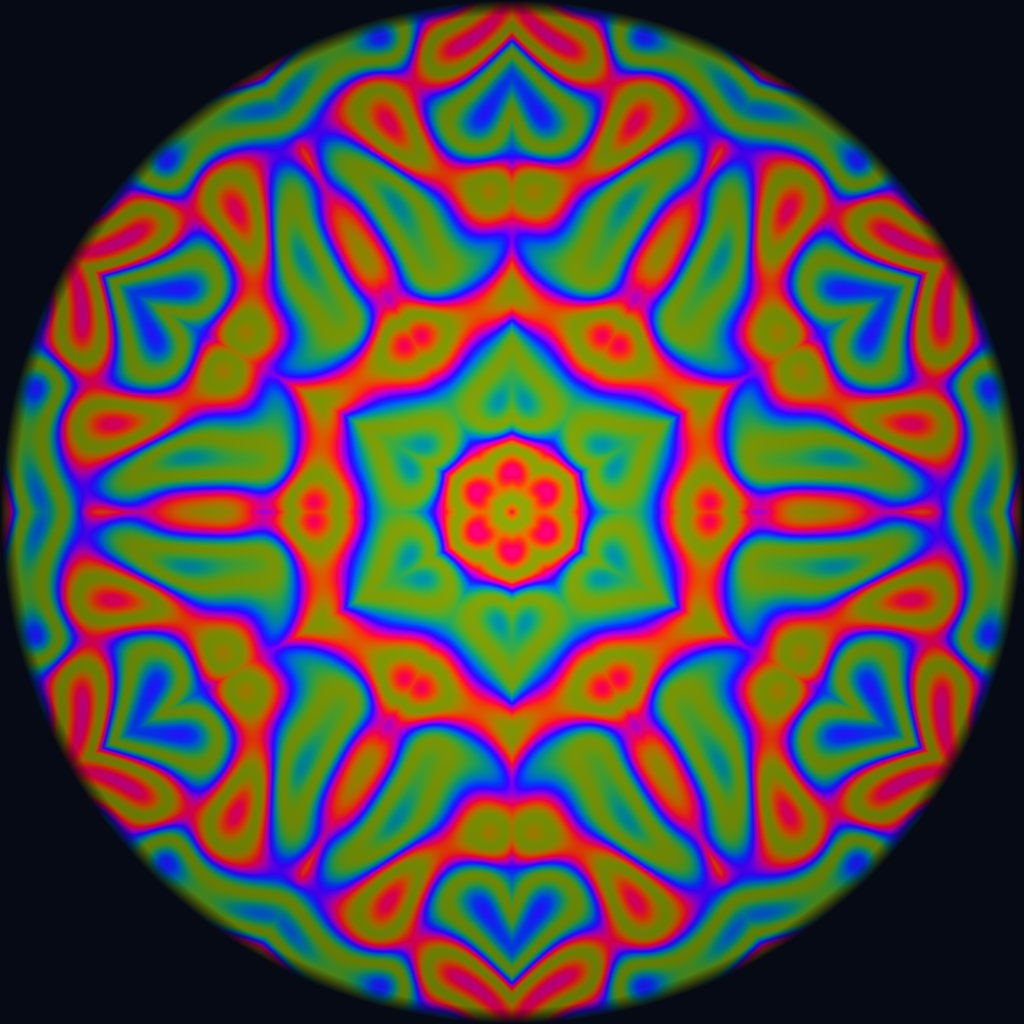
osc().kaleid(6).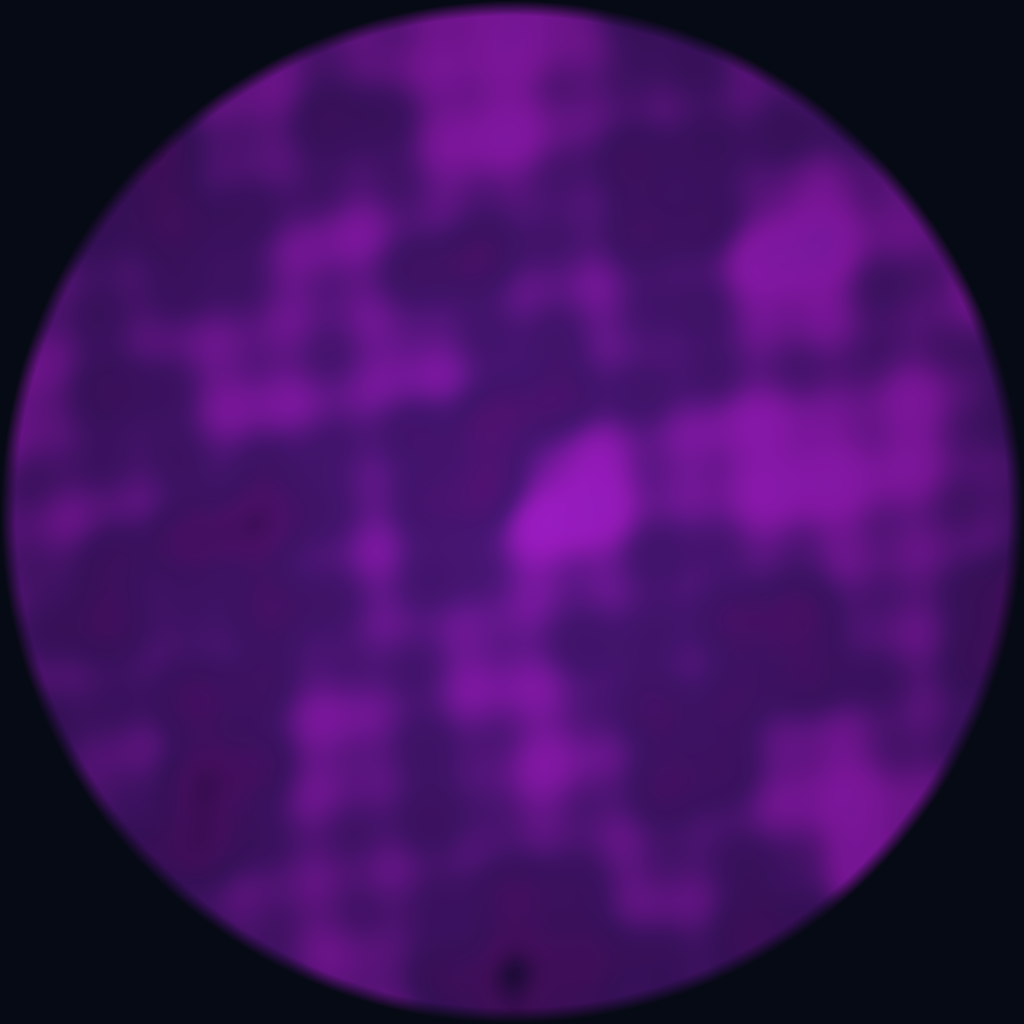
TouchDesigner
TouchDesigner by Derivative is, by a wide margin, the most-used tool for live fulldome visuals. Its dominance isn't accidental — it's the only major creative coding platform with a native Fisheye Camera component that outputs correct equidistant domemaster projection out of the box.
The architecture is node-based: TOPs (texture operators) handle 2D image processing, SOPs (surface operators) handle 3D geometry, CHOPs (channel operators) handle audio/data streams, and DATs handle text/scripts. These connect visually, and the entire graph evaluates every frame. For dome work, the critical path is: 3D scene → Fisheye Camera COMP → render TOP → output (Syphon/Spout/NDI to the dome media server).
Audio reactivity is where TD truly shines for dome. Drop an Audio Device In CHOP, pipe it through an Audio Spectrum CHOP (FFT analysis), and you have per-frequency-band amplitude data every frame. Route those values to shader uniforms, geometry parameters, or color transforms — the connection is visual, immediate, and performs at 60fps.
Dome-specific features: The Kantan Mapper palette component handles multi-projector dome rigs with soft-edge blending. The Stoner component library includes cubemap-to-fisheye conversion. The FisheyeCamera COMP supports equidistant, equisolid, and stereographic projections. Performance at 4K domemaster is achievable at 30–60fps on an RTX 3080/4080 or Apple M2 Pro and above.
Scripting: Every node is controllable via Python. This is the critical detail for agentic workflows — an AI agent can generate Python scripts that create, connect, and parameterize entire TD networks programmatically. The td module exposes the full node graph: op('/project1/geo1').par.tx = 0.5.
Limitations: TouchDesigner is not open-source. The free (non-commercial) version caps output at 1280×1280 — too low for dome. Commercial license is $600/seat. It runs on Windows and macOS (macOS is officially supported since 2023 but lags in GPU features). No Linux support.
An AI agent can generate complete TouchDesigner Python scripts that create node networks, set parameters, and build entire dome-ready compositions from natural language descriptions. Example: "Create a particle system that reacts to bass frequencies, mapped to a fisheye camera" → the agent writes the Python, TD executes it. This is not hypothetical — TD's scripting API is comprehensive enough for full programmatic control.
openFrameworks
openFrameworks (oF) is a C++ toolkit for creative coding with a long history in new-media art. It wraps OpenGL, audio I/O, networking, and hardware interfaces into a consistent API. For dome work, oF offers something no other open-source tool matches: raw GPU performance with complete control.
Dome rendering is handled via ofxDome (addon for domemaster output), or custom cubemap-to-fisheye shaders. Paul Bourke's fisheye rendering code has been ported to oF by multiple community members. The ofFbo class renders to off-screen framebuffers; you render 6 cubemap faces, then run a reprojection shader to produce the domemaster circle. At 4K on modern GPUs, this runs at 60fps+ with complex shader scenes.
Addons for dome contexts: ofxSyphon / ofxSpout (GPU texture sharing to/from other apps), ofxOsc (OSC protocol), ofxMidi, ofxGui for rapid parameter control. ofxMaxim handles audio analysis (FFT, onset detection, beat tracking) directly in the rendering process — no separate audio app needed.
Key advantage: Performance ceiling. oF code compiled in release mode runs as fast as a game engine, with none of the engine overhead. For generative art that pushes millions of particles or complex ray-marching shaders, oF is unbeatable. It also runs on Linux — critical for dome venues that run Ubuntu or Debian on their media servers.
AI coding agents (Claude Code with Opus 4.6, OpenAI Codex with GPT-4.5) can generate complete oF projects — GLSL shaders, C++ source files, CMakeLists — from natural language dome descriptions. The agent writes the code, compiles it, runs it. oF's clean API makes it particularly suitable for AI-generated code: functions are well-named, documentation is extensive, and the compilation feedback loop is fast.
Processing / p5.js
Processing is the original creative coding environment — designed for visual artists and designers learning to code. Its syntax is simple, its documentation is excellent, and it has 20+ years of community-built examples. p5.js is its JavaScript counterpart, running in any browser.
Dome output: Processing's P3D renderer supports custom shaders via GLSL. For domemaster output, you render a cubemap (6 faces via PGraphics offscreen buffers) and apply a fisheye reprojection shader. Community libraries like PeasyCam handle the 3D camera, and Paul Bourke has published complete Processing dome examples. Performance caps around 2K at 30fps for complex scenes — adequate for prototyping but limited for production 4K.
p5.js for web-based dome: The browser version opens an interesting door — dome visuals running as a web app, controllable via URL parameters, embeddable, shareable. Capture the canvas via Syphon/Spout/NDI using OBS or a similar tool, feed to the dome media server. Not high-performance, but incredibly accessible.
Processing and p5.js are arguably the easiest targets for AI code generation. The API is small, well-documented, and forgiving. An agent can generate a complete p5.js dome sketch in seconds — and it runs immediately in a browser with no compilation. This makes it the ideal rapid-prototyping layer for an agentic dome workflow: agents generate p5.js sketches for previewing, then port to oF or TD for production performance.
Hydra
Hydra, by Olivia Jack, is a browser-based video synthesizer inspired by analog modular synthesis. Its syntax is radical in its simplicity: osc(20, 0.1, 0.8).rotate(0.5).kaleid(4).out() — chained functions that generate real-time WebGL visuals. No compilation, no setup. Open a browser tab and you're performing.
How it works: Hydra operates on 4 output buffers (o0–o3) and 4 source buffers (s0–s3). Sources can be webcams, video, screen captures, or other Hydra outputs. Each buffer is a WebGL texture, and the chained functions are shader operations: oscillators, noise generators, geometric transforms (rotate, kaleid, repeat, scroll), color modifiers, and blend modes. The entire chain compiles to a fragment shader on the GPU.
Dome relevance: Hydra has no native fisheye output, but its kaleidoscopic and radial functions naturally produce circular, dome-friendly aesthetics. Capture the Hydra output via Spout (Windows, using the hydra-spout extension) or Syphon (macOS, via OBS capture) and feed into TouchDesigner or Resolume for fisheye reprojection. In live coding performances, this pipeline is common: the coder improvises in Hydra while TD handles the dome projection math.
Collaborative mode: Hydra supports real-time collaboration — multiple users editing the same visual patch via shared URLs. In a dome context, this enables collaborative live coding performances where several artists contribute to the same dome visual simultaneously.
Hydra's one-line function chains are perfect for AI generation. An agent can produce Hydra code from natural language — "blue oscillating circles that kaleidoscope and respond to audio" → osc(10,0.1,0.8).color(0.2,0.4,1).kaleid(6).modulate(noise(3),()=>a.fft[0]*0.3).out(). The code runs instantly in a browser. This is the lowest-friction path from natural language to dome visuals.
VVVV (gamma)
VVVV (pronounced "four v's") is a hybrid visual/textual programming environment born from the European new-media art scene. Its latest iteration, vvvv gamma, runs on .NET with GPU-accelerated rendering via the Stride engine (fork of Xenko).
For dome work, VVVV offers cubemap-to-fisheye rendering via custom shaders, Spout/NDI output, and strong projection-mapping capabilities via its Badmapper contribution. The VL (visual language) allows mixing visual patching with C# text coding. It has a devoted following in the German and Dutch creative coding communities, with significant use in architectural projection and museum installations.
Dome-specific: The community VL.DomeMaster contribution provides fisheye camera rendering. Multi-projector output is handled natively. Performance is competitive with TouchDesigner for shader-heavy work.
VVVV gamma's C# backend means AI agents can generate code that integrates directly. The visual patch format (.vl) is XML-based and theoretically generatable, though less practical than scripting approaches. The stronger play: agents generate GLSL shaders and C# processing nodes, which slot into existing VVVV projects.
Unreal Engine 5
Unreal Engine 5 brings film-quality real-time rendering to the dome. Nanite (virtualized geometry), Lumen (global illumination), and MetaSounds (generative audio) create production value that no other tool matches. For dome venues that want to show virtual environments — cosmic landscapes, architectural walkthroughs, narrative scenes — Unreal is the path.
nDisplay is Unreal's multi-projector rendering system. It synchronizes a cluster of rendering machines, each covering a portion of the dome, with frame-locked output. The NDISPLAY dome template renders equidistant fisheye directly. For single-machine setups, the Scene Capture Component renders cubemaps that can be reprojected to domemaster via a post-process material.
MetaSounds for spatial audio: Unreal's node-based audio engine handles real-time synthesis, with audio spatialization plugins that output to ambisonics. The Wwise integration (via the free Wwise Unreal plugin) adds sophisticated 3D audio positioning with HOA output.
OSC Plugin: Ships with Unreal 5. Receive and send OSC from external controllers, SuperCollider, Ableton, or — critically — from AI agents via network messages.
Limitations for live: Unreal is not designed for the improvisation-oriented live performance mental model. Adding live control requires Blueprints or C++ scripting for every parameter you want to expose. Compilation is slow. The live-edit workflow is better suited to rehearsed, show-controlled performances than improvised sets.
AI agents can generate Unreal Blueprint logic, C++ actor classes, and material shaders. More practically: agents can control a running Unreal scene via OSC — sending parameter changes, triggering events, moving objects in real-time. This makes Unreal a powerful "rendering backend" for an agentic dome system: the agent doesn't need to compile — it sends commands over the network.
Godot Engine
Godot 4.x is the open-source game engine that's grown rapidly in capability. Its Vulkan-based renderer handles PBR materials, global illumination, and GPU particles. For dome work, Godot offers cubemap rendering via SubViewport nodes configured for each cubemap face, with a custom fisheye reprojection shader.
Godot's scripting via GDScript (Python-like syntax) is uniquely suited for AI code generation — the language is simple, well-documented, and the engine's scene tree architecture maps naturally to natural-language descriptions of visual scenes. No dome-specific plugins exist yet, but the shader pipeline is fully capable: write a fisheye GLSL shader, apply as a post-process, output at 4K.
Audio: Godot's audio system supports bus routing, effects, and spatial audio with area-based reverb. It doesn't support ambisonics natively, but GDNative/GDExtension can wrap any C library — including the IEM libraries — for HOA output.
Godot's GDScript is arguably the most AI-friendly game engine language. An agent can generate a complete Godot dome scene — nodes, shaders, scripts — from a text description. The MIT license means zero restrictions on AI-generated content. This positions Godot as the natural open-source "rendering engine" for an agentic dome system.
ModernGL + Python
ModernGL is a Pythonic OpenGL wrapper that strips away the ceremony of raw OpenGL calls. Where PyOpenGL requires 50 lines of boilerplate to draw a triangle, ModernGL does it in 10. For dome artists who think in Python, it's the path to custom GPU rendering without C++.
Dome pipeline: Create a framebuffer at 4096×4096 → render your scene into a cubemap (6 FBOs) → apply a fisheye reprojection shader (a fragment shader that converts cubemap lookups to equidistant fisheye coordinates) → output via Syphon/Spout or directly to a window. The entire pipeline is ~200 lines of Python + GLSL.
Pair with moderngl-window for windowing and input handling, pyrr for matrix math, and numpy for data manipulation. Performance is GPU-bound (same as C++ for shader work), with Python overhead only in the CPU-side setup — negligible at 60fps.
This is the most natural target for agentic dome visuals. AI coding agents already excel at writing Python. ModernGL's API is clean and well-documented. An agent can generate a complete dome visual program — Python + GLSL — in a single pass. The script runs immediately, renders to the dome, and can be modified line-by-line by the agent in real-time. No IDE, no compilation, no GUI. This is the stack where "tell the AI what you want to see" becomes literally true.
GLSL Shaders: Shadertoy / glslViewer / ISF
At the bottom of every visual tool in this article is the same thing: a GLSL fragment shader running on a GPU. Shadertoy, glslViewer, and the ISF (Interactive Shader Format) ecosystem let you write shaders directly, without any framework overhead.
Shadertoy (shadertoy.com) hosts 100,000+ community shaders, many of which produce dome-suitable visuals — mandelbrots, fluid simulations, ray-marched landscapes, audio-reactive patterns. Any Shadertoy shader can be adapted for domemaster output by modifying the UV coordinate mapping in the fragment shader to use equidistant fisheye projection.
glslViewer by Patricio Gonzalez Vivo is a command-line tool that renders GLSL shaders with live reloading. Edit your .frag file in any text editor, save, and glslViewer hot-reloads instantly. It supports audio input, OSC, and Syphon/Spout output. It runs on Linux, macOS, and Raspberry Pi — ideal for headless dome media servers.
ISF (Interactive Shader Format) is a JSON+GLSL format that adds uniform declarations, input types, and temporal information to standard GLSL. ISF shaders are natively supported by VDMX, Resolume (via the ISF plugin), and can be loaded into any GLSL renderer. The ISF Editor provides a browser-based environment for writing and testing.
GLSL is the single most important language for AI-generated dome visuals. Every visual tool in this article ultimately runs GLSL on a GPU. An AI agent that can write GLSL fragment shaders can target any dome rendering system. And GLSL is well within the capability of current coding agents — the language is small, well-documented, and the output is immediately visible. An agent that generates GLSL + a fisheye coordinate remap function can produce dome content for any renderer.
🔊 Part 2: Spatial Audio — The Complete Open-Source Stack
Dome audio is spatial audio. The audience is surrounded by speakers covering the hemisphere — and the ideal output format is Higher Order Ambisonics (HOA), a speaker-layout-agnostic soundfield encoding. Here's every serious open-source tool for creating it.
SuperCollider + ATK
SuperCollider (SC) is a platform for audio synthesis and algorithmic composition consisting of scsynth (real-time audio server with hundreds of UGens), supernova (multi-core alternative server), and sclang (interpreted programming language). It runs on macOS, Windows, Linux, and even Raspberry Pi.
The Ambisonic Toolkit (ATK) for SuperCollider is a research-grade HOA implementation. It provides:
- Encoders: Place mono or stereo sources at arbitrary 3D positions in the ambisonics soundfield. Move them in real-time — smooth automation of azimuth, elevation, distance.
- Decoders: Render the ambisonics soundfield to any speaker layout — 8-speaker ring, 16-speaker dome, irregular arrays. Also binaural decoding for headphone preview.
- Transforms: Rotate, mirror, zoom, push, and focus the soundfield in real-time. These are the creative tools — rotate the entire sonic scene, zoom into a detail, push the soundfield toward a direction.
- HOA support: ATK supports First Order through Higher Order Ambisonics. For dome venues like SAT's Satosphère (157 speakers), 3rd order or higher (16+ channels) is the standard.
Live coding: SC's interpreted language means you write audio code and evaluate it live — a Synth starts playing, you modify its parameters, the sound changes immediately. Combined with ATK, this means you can live-code spatial audio compositions for the dome in real-time. The latency is 2–20ms depending on buffer size — imperceptible.
OSC: SC is an OSC powerhouse. OSCFunc and NetAddr handle bidirectional OSC communication with any tool — receive position data from a visual system, send audio analysis back. The classic dome setup: SC handles audio + spatialization, TouchDesigner handles visuals, OSC connects them.
SuperCollider's text-based, interpreted nature makes it an ideal target for AI coding agents. An agent can generate complete SC patches — synth definitions, spatialization routing, OSC handlers — and they execute immediately without compilation. Example prompt: "Create a granular synthesizer that spatializes 16 grains across the upper hemisphere, with density controlled by incoming OSC from the visual system" → the agent writes the SynthDef + OSC routing, SC evaluates it, sound appears in the dome.
IEM Plug-in Suite
The IEM Plug-in Suite, developed at the Institute of Electronic Music and Acoustics in Graz (Austria), is the practical entry point for ambisonics production in any DAW. It's free, open-source, and supports up to 7th order ambisonics (64 channels).
Key plugins:
- StereoEncoder: Encode mono/stereo sources into ambisonics with visual sphere panner for positioning. Supports quaternion input for head-tracker integration.
- MultiEncoder: Encode up to 64 sources into a single ambisonics bus. Each source has independent position, gain, and width.
- RoomEncoder: Simulate room acoustics in ambisonics — a room reverb with spatially accurate early reflections and diffuse field.
- BinauralDecoder: Decode ambisonics to binaural (headphones) for preview monitoring during production. Critical for working on dome content at your desk.
- AllRADecoder: Decode to arbitrary speaker layouts using All-Round Ambisonic Decoding. Load your venue's speaker coordinates, decode.
- GranularEncoder: Ambisonic granular synthesis — the first ambisonics synth plugin. Feed any mono/stereo audio, get enveloping spatial granulation.
- MultiBandCompressor: Multiband dynamics that preserve the spatial image — critical for mastering ambisonics content.
DAW integration: Works in REAPER, Logic Pro, Ableton Live (via Max for Live bridge), Ardour, Nuendo, Pro Tools. REAPER is the recommended DAW for ambisonics work because of its flexible channel routing (up to 64 channels per track natively).
While the IEM plugins are GUI-based DAW plugins, they expose parameters via automation and OSC. An AI agent controlling a REAPER session via its ReaScript API (Python or Lua) can automate IEM plugin parameters — moving sound sources, adjusting room parameters, changing decode configurations — all programmatically. The agent becomes a spatialization assistant that arranges your sounds in 3D space.
Spatial Audio Demo: Binaural 360° Rotation
Put on headphones for the full effect — this is a binaural render of a 440Hz tone circling 360° around your head over 15 seconds. The spatialization uses a simplified HRTF model with interaural time delay (ITD) and interaural level difference (ILD) — the same principles that the IEM BinauralDecoder plugin uses at much higher fidelity. For more on this technique, see our Binaural Headphones glossary entry.
Generated programmatically with Python + NumPy + SoundFile — exactly the kind of audio an AI agent can synthesize from a natural-language prompt.
ATK for REAPER
The Ambisonic Toolkit for REAPER is a set of JSFX plugins that bring ATK's encoding, decoding, and transformation tools directly into REAPER. Lighter-weight than the SC version — these are simple, focused plugins: encode mono to FOA (First Order Ambisonics), transform (rotate, mirror, push, focus, zoom), decode to binaural or speaker arrays.
The JSFX format is text-based and interpretable — an AI agent can read, modify, and even generate JSFX plugins. The format is essentially a simple DSP scripting language with slider parameters and per-sample processing. This makes it a surprisingly good target for agentic audio processing.
Sonic Pi
Sonic Pi, by Sam Aaron, is a live coding music instrument built on SuperCollider's audio engine. Its syntax is designed for accessibility: play 60 plays a middle C, sleep 1 waits one beat, sample :drum_heavy_kick triggers a sample. The simplicity is deceptive — it's capable of complex algorithmic compositions and has been used in live performances worldwide.
Dome relevance: Sonic Pi uses SuperCollider's scsynth as its audio backend, so in principle it can output to ambisonics via external routing. The more practical path: use Sonic Pi for musical content generation and route its audio output into a SuperCollider ambisonics pipeline or through IEM plugins in REAPER. Sonic Pi sends/receives OSC natively (osc "/trigger", 1, 0.5), so it can communicate with visual systems.
Why it matters for agentic workflows: Sonic Pi's syntax is so simple that it's essentially a domain-specific language for musical patterns. AI agents can generate Sonic Pi code with extremely high reliability — the language is small, the errors are clear, and the output is immediate. For a dome conductor app, Sonic Pi code could be the "musical notation" that agents generate on demand.
Sonic Pi is the musical equivalent of p5.js — simple enough for reliable AI generation, immediate enough for live feedback. An agent can generate rhythmic patterns, melodic sequences, and textural compositions from natural language, and Sonic Pi plays them immediately. Route through ambisonics for dome spatialization.
pyo
pyo is a Python module (written in C for performance) for real-time audio signal processing. It provides hundreds of DSP objects: oscillators, filters, delays, granulators, FFT processing, convolution, physical modeling, and more. All controllable from Python scripts in real-time.
Dome audio pipeline: pyo supports multi-channel output (up to 128 channels), MIDI, and OSC. For ambisonics: generate audio with pyo, spatialize using its built-in panning objects or pipe through external ambisonics encoding (via multi-channel routing to IEM plugins). pyo's Pan object supports arbitrary speaker counts, and custom spatialization can be implemented using its matrix mixer.
The Python advantage: Because pyo is pure Python (with C internals), it lives in the same ecosystem as ModernGL, numpy, and every other Python library. An AI agent can generate a single Python script that handles both dome visuals (via ModernGL) and spatial audio (via pyo) — a complete A/V dome program in one file.
pyo + ModernGL = the all-Python dome stack. An AI agent generates one Python script with both visual rendering and audio synthesis. This is the ultimate agentic target: a single language, a single file, immediate execution, both audio and video. No bridging, no OSC, no inter-app communication. The agent writes it, Python runs it, the dome displays and plays it.
IRCAM Spat~ / Max/MSP
IRCAM Spat~ 5 is the gold standard for object-based audio spatialization. Developed at IRCAM (Paris), it handles arbitrary speaker arrays, per-object distance modeling, room acoustics, and ambisonics encoding/decoding at any order. It runs as Max/MSP externals.
Max/MSP itself provides the patching environment: visual nodes connected by cables, real-time evaluation, MIDI/OSC integration. Jitter (Max's video extension) adds OpenGL rendering — not as performant as TD for dome work, but capable with custom GLSL shaders. RNBO exports Max patches to C++, VST, or web (WebAssembly) — meaning a spatial audio patch built in Max can run in a browser.
ICST Ambisonics externals (from the Zurich University of the Arts) are a free alternative to Spat~ for pure ambisonics work in Max. They provide encoders, decoders, transformers, and visualization tools for HOA up to 7th order.
Max for Live bridges Max into Ableton Live, allowing composers to use Ableton's timeline, clips, and MIDI while processing through Max's spatial audio chain. This is the musician's path to dome spatialization.
Max patches are structured as JSON-like dictionaries (.maxpat format). An AI agent can generate Max patches programmatically — create objects, connect them, set parameters — all by writing JSON. Max's js object runs JavaScript inside patches, and node.script runs Node.js. RNBO's web export means an agent-generated spatial audio patch could run directly in a browser. The RNBO web export template on GitHub shows how.
📐 Part 3: Spatial Audio Formats — What to Deliver
Different dome venues expect different audio formats. Here's the complete reference:
| Format | Channels | Description | Used At |
|---|---|---|---|
| FOA (1st Order Ambisonics) | 4 (ACN/SN3D) | Basic full-sphere encoding. Limited spatial resolution — sounds are "blurry." Minimum viable spatial audio. | Smaller domes, portable domes, headphone delivery |
| HOA 3rd Order (AmbiX) | 16 (ACN/SN3D) | The practical standard for dome production. Good spatial resolution — sounds can be placed with ~15° precision. Decode to any speaker layout. | SAT Montréal (Satosphère), most modern planetariums |
| HOA 5th Order | 36 (ACN/SN3D) | High-resolution spatial audio. Sharp localization. Requires venues with dense speaker arrays (30+ speakers). | Research installations, Ars Electronica, ZKM |
| HOA 7th Order | 64 (ACN/SN3D) | Maximum resolution. Near-perfect localization. Requires 50+ speakers and the IEM Suite or SPARTA plugins. | IEM Cube (Graz), research contexts |
| Channel-Based (5.1 / 7.1) | 6 / 8 | Traditional surround. Not true dome audio — limited to a horizontal ring. Many planetariums still accept this. | Legacy planetariums, some cinema domes |
| SAT SpatGRIS | Variable (up to 192) | SAT Montréal's spatialization system: object-based mixing for 157 speakers. Uses SpatGRIS software for positioning + rendering. | SAT Satosphère exclusively |
| Binaural (Headphones) | 2 | 3D audio for headphones via HRTF filtering. Essential for previewing and for headphone-based dome experiences. | Preview monitoring, VR, online distribution |
🤖 Part 4: The Agentic Layer — AI Agents as Dome Creators
Here's where it gets interesting. Every tool described above is programmable. They accept text commands (code), they communicate via standard protocols (OSC, MIDI), and they produce output that's immediately perceptible (visuals and audio). This is the ideal substrate for AI coding agents.
What Is an Agentic A/V Workflow?
An agentic workflow means an AI agent doesn't just answer questions about dome production — it writes the code, runs it, evaluates the output, and iterates. The human describes what they want in natural language. The agent produces working dome content.
Concretely:
This is not hypothetical. Current AI coding agents — Claude Code (Anthropic, Claude Opus 4.6), OpenAI Codex (GPT-4.5), and Gemini CLI (Google, Gemini Pro) — can generate working Python, GLSL, SuperCollider, and p5.js code. Orchestrators like OpenClaw can dispatch tasks to any of these models, choosing the right one for each sub-task. The dome-specific knowledge — fisheye projection math, ambisonics encoding, OSC routing — is well-documented and within their training data. The missing piece has been orchestration: coordinating multiple agents across audio and visual tools, with a feedback loop to the human.
OpenClaw as Dome Orchestrator
OpenClaw is an open-source AI agent orchestration platform that can coordinate multiple sub-agents, each specialized for a different task. In a dome context, this architecture maps naturally:
The key insight: OpenClaw can spawn sub-agents that specialize in different parts of the dome pipeline. A visual agent writes GLSL and Python rendering code. An audio agent writes SuperCollider or pyo synthesis code. A spatial agent configures ambisonics routing. The orchestrator ensures they share a coordinate system (same azimuth/elevation conventions), communicate via OSC, and respond to the same timing signals.
The human director talks to OpenClaw in natural language. OpenClaw dispatches to the right agent. The agent writes code. The code runs. The dome changes.
Concrete Example: An Agent-Directed Dome Show
Scenario: "Cymatics Evening" — A 45-Minute Generative Dome Show
Setup phase (before the show, at the venue):
The director tells OpenClaw: "We're in the SAT Satosphère tonight. 18m dome, 8 projectors, 157 speakers. Create a cymatics-inspired generative show with 3 movements: calm water ripples, building Chladni patterns, and a chaotic finale. Audio should be spatial — sounds emerge from the positions where the visuals are brightest."
OpenClaw spawns three sub-agents:
- Visual Agent: Generates a Python/ModernGL renderer with three scene modes, fisheye camera, Spout output to SAT's media server. Writes the Chladni plate simulation, the water ripple shader, the particle chaos system.
- Audio Agent: Generates SuperCollider synth definitions for each movement — sine tones for water, metallic resonances for Chladni, noise bursts for chaos — all with ATK ambisonics encoding matched to the visual positions.
- Spatial Agent: Configures the OSC bridge between visual and audio agents, sets up the SAT speaker decoding, ensures the ambisonics order matches the venue's decoder.
All three agents produce code. The code runs on the venue's media server. The director previews on a laptop (binaural headphones + fisheye window).
Performance phase (live, during the show):
The director uses a mobile app (more on this below) to send natural-language commands to OpenClaw: "Transition to movement 2, slowly" → the visual agent cross-fades to Chladni patterns over 30 seconds; the audio agent morphs sine tones into metallic resonances. "More intensity in the upper dome" → the visual agent shifts particle density upward; the audio agent pans sounds higher. "Hold here — this is beautiful" → the agents freeze the current generative parameters, maintaining the state.
DJ Software as Dome Input: Algoriddim djay Pro
Not every dome performance starts from scratch with generated code. Sometimes the source material is a DJ set — and Algoriddim djay Pro is one of the most capable DJ applications for integrating into a dome A/V pipeline. Here's how its output can feed into the agentic dome stack.
Signal Flow: djay Pro → Dome Pipeline
1. Audio Routing via BlackHole
BlackHole is an open-source virtual audio driver for macOS that creates a zero-latency audio loopback. Configure djay Pro to output to a BlackHole virtual device, and that audio becomes available as an input to SuperCollider, pyo, or any DAW running the IEM plugin suite. From there, the audio agent can:
- Spatialize the DJ's stereo output into ambisonics using ATK or IEM StereoEncoder
- Run FFT analysis on the incoming audio for visual reactivity — bass frequencies drive dome-floor visuals, highs trigger zenith particles
- Apply live spatial effects — reverb, delay, granular processing — that respond to the dome's acoustic space
2. Ableton Link for Tempo Sync
djay Pro supports Ableton Link, the open protocol for tempo/phase synchronization over a local network. Any tool on the same LAN that speaks Link — SuperCollider (via LinkClock), TouchDesigner, or a Python script using link — automatically locks to the DJ's BPM and beat phase. Visual systems can sync pattern changes, shader transitions, and particle emissions to the beat grid without any manual BPM tapping.
3. Audio Unit (AU) Plugins
djay Pro loads Audio Unit plugins as effects on each deck. This means you can load the IEM StereoEncoder directly as an AU effect within djay Pro — encoding the deck's output to ambisonics before it ever leaves the application. Route that multi-channel ambisonics output via BlackHole to the dome's decoder. You could also load analysis plugins that expose FFT data via OSC.
4. MIDI Output for Parameter Mapping
djay Pro sends MIDI data from its controls — deck levels, EQ bands, crossfader position, effect parameters. Map these MIDI CCs to dome visual parameters: crossfader position controls the blend between two visual scenes, EQ low-cut drives the dome floor brightness, effect wet/dry modulates shader distortion. Any MIDI-aware tool (TouchDesigner, SuperCollider, pyo) can receive this directly.
Hardware bridge: Daniel has an Akai APC Mini MK2 which works with both djay Pro and the dome system — it can serve as a physical bridge between DJ performance and dome visual control, with the grid pads triggering clips in djay while simultaneously sending MIDI to the visual agent.
The key advantage of routing djay Pro through the agentic pipeline (rather than directly to speakers) is that the AI agents can enhance the DJ's output in real-time: spatializing the stereo mix across 157 speakers, generating reactive visuals that respond to the music's structure, and applying dome-specific audio processing that a standard DJ app can't do natively. The DJ performs as they normally would — the dome amplifies their set into a spatial experience.
📱 Part 5: The Mobile Phone as Conductor's Baton
This is the conceptual breakthrough that ties everything together. A live dome show, directed from a phone.
The Concept
A conductor doesn't play every instrument. They shape the performance — tempo, dynamics, balance, emotion. In a dome context, the "instruments" are the visual and audio agents. The conductor uses a mobile device to direct them in real-time.
This is not just a remote control. A remote control has buttons mapped to predefined functions. A conductor interface sends natural-language intent to an AI orchestrator, which translates that intent into specific code changes across multiple systems simultaneously. The conductor doesn't need to know GLSL or SuperCollider — they describe what they want the audience to experience.
How It Works — Technical Architecture
The mobile app sends multiple signal types to OpenClaw:
- Natural language commands (voice or text): "Bring up the blue fog", "Make it rain particles from zenith", "Transition to the next scene over 20 seconds"
- Gestural input: Phone accelerometer data mapped to dome coordinates — tilt the phone to "point" at a region of the dome; shake to trigger events; rotate to pan the soundfield
- Touch controller: XY pads for continuous parameter control (intensity, speed, color temperature); sliders for master levels; tap zones for triggers
- Sensor data: Compass heading for absolute dome orientation; ambient light for adaptive brightness; proximity for presence detection
Concrete Interaction Examples
Example 1: Voice-Directed Scene Change
The conductor speaks into the phone: "Fade everything to black over 10 seconds, then bring up a single white point of light at zenith"
OpenClaw's visual agent receives this, generates a 10-second opacity animation to black, then creates a new point light at (azimuth=0, elevation=90°). The audio agent fades all sound to silence, then introduces a quiet high-frequency tone from directly above. The dome transitions as described.
Example 2: Accelerometer as Spatial Controller
The conductor holds the phone like a wand. Tilting it forward maps to dome elevation (horizon → zenith). Rotating maps to dome azimuth. The phone's orientation controls where a spotlight falls on the dome — wherever the conductor "points," the visual agent intensifies content, and the audio agent pans sound to that position. The conductor is literally pointing at what the audience should experience.
Example 3: Audience Participation
Multiple phones connect to the same OpenClaw instance. Each audience member's phone becomes a sound source — their phone's accelerometer data positions a sound object in the dome's speaker array. 50 people waving phones → 50 spatialized sound sources creating an emergent sonic texture that fills the dome. The visual agent renders a particle for each connected phone, positioned on the dome to match the phone's audio position. The audience is the show.
Example 4: The DJ Conductor
A DJ performs in a dome with a traditional DJ setup (decks, mixer) plus a phone running the conductor app. The phone analyzes the DJ's audio in real-time (beat detection, frequency analysis) and passes it to OpenClaw. The visual agent generates dome visuals that react to the music — automatically. But the DJ can override: tapping the phone triggers visual "drops" on beat; swiping changes the visual style; voice commands adjust the mood ("more aggressive," "cool it down," "strobe"). The AI interprets the DJ's intent and adjusts the visual code accordingly.
Building the Conductor App — Technical Path
The conductor app doesn't need to be complex. Its core requirements:
- WebSocket connection to OpenClaw on the venue LAN
- Speech-to-text (browser Web Speech API or on-device models) for voice commands
- Accelerometer/gyroscope access (DeviceOrientation API in mobile browsers, or native iOS/Android)
- Touch input with multi-touch XY pad areas
- Low-resolution dome preview (a small fisheye rendering of the current visual state, streamed as MJPEG or WebRTC from the rendering machine)
The simplest implementation: a Progressive Web App (PWA) — a single HTML page with JavaScript, no native app required. Open a URL on the phone, grant sensor permissions, connect to OpenClaw. The web app sends JSON messages over WebSocket:
{
  "type": "voice_command",
  "text": "Transition to the aurora scene, slowly",
  "timestamp": 1711364400000
}

{
  "type": "sensor",
  "accelerometer": { "x": 0.12, "y": -0.45, "z": 9.7 },
  "gyroscope": { "alpha": 127.3, "beta": -12.1, "gamma": 3.4 },
  "compass": 215.7,
  "timestamp": 1711364400016
}

{
  "type": "touch",
  "pad": "xy1",
  "x": 0.73,
  "y": 0.41,
  "timestamp": 1711364400032
}
OpenClaw receives these messages and routes them to the appropriate agent. The voice command goes to the orchestrator for natural-language interpretation. The sensor data goes directly to the visual and audio agents as parameter inputs (mapped to uniforms in GLSL, to control signals in SuperCollider). The touch data maps to whatever the conductor has assigned — intensity, color, speed, anything.
📊 Part 6: Complete Tool Reference
| Tool | Domain | Open Source | Dome Output | Spatial Audio | AI Codability | Link |
|---|---|---|---|---|---|---|
| TouchDesigner | Visuals | No (free tier) | ★★★★★ | Via OSC | ★★★★ (Python) | derivative.ca |
| openFrameworks | Visuals | Yes (MIT) | ★★★★ | ofxMaxim | ★★★ (C++) | GitHub |
| Processing / p5.js | Visuals | Yes (GPL/LGPL) | ★★★ | Minim | ★★★★★ | GitHub |
| Hydra | Visuals | Yes (AGPL-3.0) | ★★ (via Spout) | N/A | ★★★★★ | GitHub |
| VVVV gamma | Visuals | No (free tier) | ★★★★ | Via OSC | ★★★ (C#/VL) | visualprogramming.net |
| Unreal Engine 5 | Visuals / Audio | No (source avail.) | ★★★★★ | MetaSounds/Wwise | ★★★ (C++/BP) | unrealengine.com |
| Godot 4 | Visuals / Audio | Yes (MIT) | ★★★ | Basic spatial | ★★★★★ (GDScript) | GitHub |
| ModernGL | Visuals | Yes (MIT) | ★★★★ (custom) | N/A | ★★★★★ (Python) | GitHub |
| glslViewer | Visuals | Yes (BSD) | ★★★★ (custom) | N/A | ★★★★★ (GLSL) | GitHub |
| Resolume Arena | Visuals | No (€799) | ★★★★★ | FFT only | ★★ (limited API) | resolume.com |
| Audio & Spatial Audio | ||||||
| SuperCollider + ATK | Audio / Spatial | Yes (GPL-3.0) | N/A | ★★★★★ | ★★★★ (sclang) | GitHub |
| IEM Plugin Suite | Spatial Audio | Yes (GPL-3.0) | N/A | ★★★★★ | ★★★ (DAW auto.) | plugins.iem.at |
| ATK for REAPER | Spatial Audio | Yes (GPL-3.0) | N/A | ★★★★ | ★★★★ (JSFX) | GitHub |
| Sonic Pi | Audio | Yes (MIT) | N/A | Via routing | ★★★★★ | GitHub |
| pyo | Audio / DSP | Yes (LGPL-3.0) | N/A | ★★★ (multi-ch) | ★★★★★ (Python) | GitHub |
| IRCAM Spat~ / Max | Spatial Audio | Partially (ICST free) | Via Jitter | ★★★★★ | ★★★ (Max/JS) | cycling74.com |
| SpatGRIS | Spatial Audio | Yes (GPL) | N/A | ★★★★★ | ★★★ (OSC) | GitHub |
| SPARTA | Spatial Audio | Yes (GPL-3.0) | N/A | ★★★★★ | ★★★ (DAW auto.) | GitHub |
| Protocol & Glue | ||||||
| Syphon | Video Sharing | Yes (BSD) | GPU texture share | N/A | N/A | GitHub |
| Spout | Video Sharing | Yes (BSD) | GPU texture share | N/A | N/A | GitHub |
| NDI | Video/Audio Network | No (free SDK) | Network video | N/A | N/A | ndi.video |
| python-osc | Protocol | Yes (Unlicense) | N/A | N/A | ★★★★★ | GitHub |
🐍 Part 7: The All-Python Dome Stack — The Agentic Sweet Spot
If we're designing a dome production system specifically for AI agents, one stack stands out:
Why this matters for agentic workflows:
- Single language: The AI agent writes Python. Only Python. No context-switching between GLSL/sclang/C++/GDScript. The GLSL shaders are embedded as Python strings within the same file.
- Single process: Audio and visuals run in one Python process. No inter-process communication overhead, no OSC marshaling, no sync bugs.
- Immediate execution: No compilation. The agent writes a .py file, runs it, sees (and hears) the result instantly.
- Iterative modification: The agent can modify a single variable, re-run, and see the change. The feedback loop is as fast as the agent can type.
- NumPy for everything: Particle positions, ambisonics encoding matrices, FFT analysis, image processing — all numpy arrays. Agents are very good at numpy code.
A complete dome A/V sketch in this stack is ~300–500 lines of Python. An AI agent can generate one from scratch in under 60 seconds. This is the productivity unlock: dome content at the speed of conversation.
🖥️ Part 8: Hardware — What You Actually Need
Software means nothing without the machine to run it. Let's be honest about what a 4K fulldome setup demands — and what doesn't cut it.
The Hard Requirements
A 4K domemaster is 4096×4096 pixels at 30–60fps. That's 16.7 million pixels per frame — roughly equivalent to rendering a 5120×3200 display. Add fisheye reprojection (6 cubemap faces → fisheye, an extra shader pass), real-time audio DSP with 16+ channel ambisonics, and the overhead of inter-process communication (OSC, Syphon/Spout). This is not a lightweight workload.
The Verdict on Common Hardware
❌ Mac Mini M4 (16GB RAM)
Daniel's instinct was right. The Mac Mini M4 with 16GB unified memory is an excellent general-purpose machine, but it falls short for fulldome production:
- GPU cores: 10-core GPU. Insufficient for complex 4K shader work at 60fps — you'll hit GPU limits quickly with particle systems, raymarching, or multi-pass effects.
- Memory: 16GB unified is shared between CPU and GPU. A 4K domemaster framebuffer alone is ~67MB per frame (RGBA). Add cubemap faces, ping-pong buffers, texture assets, and you're memory-constrained before you even start audio processing.
- Use case: Adequate for 2K preview rendering, development, testing. Not for venue-quality 4K output.
✅ Mac Studio M4 Max (64–128GB) — The Recommended macOS Path
The Mac Studio with M4 Max is the machine for independent dome artists on macOS. Here's why:
- 40-core GPU with hardware-accelerated ray tracing — handles complex 4K fisheye rendering at 30–60fps in TouchDesigner, ModernGL, or Metal-based renderers
- 64GB or 128GB unified memory — enough for 4K domemaster with multiple texture buffers, particle systems, and simultaneous 16-channel audio processing
- 546GB/s memory bandwidth — critical for GPU-heavy workloads where data moves constantly between CPU and GPU
- Thunderbolt 5 (120Gb/s) — drives external displays, capture devices, and high-speed storage simultaneously
- Hardware ProRes/HEVC encode — record 4K domemaster directly to ProRes 4444 in real-time during the show
- 5 simultaneous displays — dome output + preview + control interface without additional hardware
- Silent operation — critical for dome venues where the machine sits near the audience
Recommended config for dome: M4 Max, 64GB (minimum) or 128GB, 2TB SSD. Budget: ~$3,200–$4,500.
✅ Mac Studio M3 Ultra (192–256GB) — Maximum macOS Power
The M3 Ultra variant doubles the GPU cores (80) and memory ceiling (256GB). This is the machine for:
- Multi-projector dome rigs — rendering separate outputs for 4–6 projectors from one machine
- 8K domemaster — 8192×8192 at 30fps is achievable with the Ultra's GPU headroom
- Heavy AI workloads — running local LLMs alongside dome rendering for agentic workflows without cloud latency
- 8 simultaneous displays — enough for complex multi-projector setups
Recommended config: M3 Ultra, 192GB, 4TB SSD. Budget: ~$5,600–$7,500.
✅ Linux Workstation + NVIDIA RTX 4090/5090 — The Performance King
For raw rendering performance, nothing beats a desktop Linux workstation with a high-end NVIDIA GPU. The RTX 4090 (or its successor, the RTX 5090) offers:
- 24–32GB dedicated VRAM — not shared with the CPU. Your 4K framebuffers, cubemap faces, and texture assets all live on the GPU without competing for system RAM.
- 16,384+ CUDA cores — brute-force shader performance that exceeds Apple Silicon for pure GPU compute
- CUDA/OptiX — access to NVIDIA-specific compute and ray tracing that Apple Silicon can't run
- TouchDesigner on Windows, or ModernGL/oF on Linux — full tool compatibility
- Multi-GPU possible — two RTX 4090s in one machine for multi-projector dome rigs
Recommended build: AMD Ryzen 9 7950X / Intel i9-14900K, 64GB DDR5, RTX 4090 (24GB), 2TB NVMe SSD, Ubuntu 24.04 LTS. Budget: ~$3,500–$4,500 (self-built).
Tradeoff: Fan noise. A 4090 under load is not silent. In venues where the machine is near the audience, this matters. Use a separate machine room with long Thunderbolt/DisplayPort runs, or an NVIDIA A6000 (workstation-class, quieter, 48GB VRAM, ~$4,600).
Hardware Comparison at a Glance
| Machine | GPU Cores | VRAM / Memory | 4K@60fps | 8K | Noise | Price |
|---|---|---|---|---|---|---|
| Mac Mini M4 (16GB) | 10-core | 16GB shared | ❌ Limited | ❌ | Silent | ~$800 |
| Mac Mini M4 Pro (48GB) | 20-core | 48GB shared | ⚠️ Basic scenes | ❌ | Silent | ~$2,000 |
| Mac Studio M4 Max (64GB) | 40-core | 64GB shared | ✅ | ⚠️ Limited | Near-silent | ~$3,200 |
| Mac Studio M4 Max (128GB) | 40-core | 128GB shared | ✅ | ⚠️ | Near-silent | ~$4,500 |
| Mac Studio M3 Ultra (192GB) | 80-core | 192GB shared | ✅✅ | ✅ | Quiet | ~$5,600 |
| Linux + RTX 4090 | 16,384 CUDA | 24GB dedicated + 64GB sys | ✅✅ | ✅ | Loud | ~$3,500 |
| Linux + RTX 5090 | 21,760 CUDA | 32GB dedicated + 64GB sys | ✅✅✅ | ✅✅ | Loud | ~$4,500 |
| Linux + NVIDIA A6000 | 18,176 CUDA | 48GB dedicated + 128GB sys | ✅✅ | ✅✅ | Moderate | ~$7,000 |
Audio Hardware: Multi-Channel Output
Dome spatialization requires multi-channel audio output — you need to get 16+ channels of audio from your machine to the dome's speaker system. Standard audio interfaces don't cut it.
Audio Interfaces for Dome
- RME Digiface Dante (USB 3.0, 128ch via Dante + MADI, ~$1,100) — the professional choice. 64 Dante channels over standard Ethernet, plus 64 MADI channels. TotalMix FX for routing. Rock-solid drivers, sub-3ms latency. rme-audio.de
- RME Digiface USB (USB 2.0, 66ch ADAT/SPDIF, ~$500) — budget option. 4× ADAT optical outputs = 32 channels at 48kHz. Add ADAT-to-analog converters for speaker feeds.
- MOTU 16A (AVB/USB, 16 analog out, ~$1,300) — 16 balanced analog outputs on a single box. For smaller dome rigs (8–16 speakers) this provides direct speaker feeds without additional conversion. motu.com
- Focusrite RedNet AM2 (Dante, 2ch stereo out, ~$300) — Dante receiver endpoint. Use multiple AM2 units at each speaker cluster, one central Dante network. Scalable to any speaker count.
- Dante network approach: For large domes (30+ speakers), the professional method is Dante over Ethernet. Your machine runs Dante Virtual Soundcard (software, ~$30), outputs 64 channels over a standard Ethernet cable. Dante-enabled amplifiers or Dante-to-analog converters at each speaker position. This is how SAT, IEM Cube, and most modern planetariums handle audio distribution.
🎛️ Part 9: Physical Controllers & Interfaces for Dome Performance
A phone app is one interface. But dome performance benefits from tactile, physical control — especially for parameters that need continuous, muscle-memory interaction. Here are the controllers that work best for dome A/V.
MIDI Grid Controllers
Grid controllers give you a matrix of backlit pads (usually 8×8 = 64 pads) plus faders/knobs. For dome work, the grid maps naturally to dome zones — each pad can represent a region of the hemisphere, triggering or modulating content in that zone.
- Akai APC Mini MK2 (~$90) — 64 RGB-backlit pads, 9 faders, 8 clip-launch buttons. Best value for dome use. The pads can be mapped to dome quadrants, the faders to master parameters (intensity, speed, color temperature). The RGB LEDs show the current state of each zone. akaipro.com
- Novation Launchpad X (~$170) — 64 velocity-sensitive RGB pads, more responsive than the APC Mini. The velocity sensitivity adds expression — how hard you hit the pad can control the intensity of a visual burst or volume of a sound event. novationmusic.com
- Ableton Push 3 (~$1,000 standalone / $700 controller) — the most expressive pad controller available. 64 pressure-sensitive pads with per-pad aftertouch, 8 endless encoders, a touchstrip, and a display. The aftertouch means holding a pad can continuously modulate a parameter — press harder to intensify. Can run Ableton standalone (no laptop) in the standalone version. ableton.com/push
Map the 8×8 grid as a top-down view of the dome: center pads = zenith, edge pads = horizon. Each pad triggers/modulates content in that dome zone. Faders control global parameters. The AI agent can dynamically remap the grid based on the current scene — in a "starfield" scene, pads trigger constellations at their dome position; in a "water" scene, pads create ripple sources.
Knob/Fader Controllers
- Korg nanoKONTROL2 (~$60) — 8 faders, 8 knobs, 24 buttons. Ultra-compact, USB bus-powered. Map the 8 faders to 8 visual parameters (brightness, speed, complexity, color shift, particle count, blur, scale, rotation) and the 8 knobs to 8 audio parameters (reverb, spatial width, filter cutoff, pan position, volume, grain density, pitch, feedback). Simple, cheap, effective.
- Faderfox MX12 (~$400) — 12 faders + 12 push-encoders + 24 buttons in a tiny package. German-made, programmable. For dome work, the density is ideal: 12 faders can cover all major visual and audio parameters without page-switching. faderfox.de
- Behringer X-Touch Mini (~$60) — 8 rotary encoders (with LED rings for position feedback), 16 buttons, 1 fader. The LED rings are crucial — they show the current value of each parameter, so you don't lose track of state when switching between scenes. Two layers = 16 encoders effectively.
3D Spatial Controllers
- 3Dconnexion SpaceMouse (~$130–$400) — a 6-degrees-of-freedom controller originally for CAD, but perfect for dome spatialization. Push/pull/twist/tilt the cap and it outputs continuous X/Y/Z translation + rotation values. Map these to the position of a sound object or visual spotlight in the dome — you're literally "moving" things around the hemisphere with your hand. The SpaceMouse Wireless (~$130) is compact and clean. 3dconnexion.com
- Sensel Morph (discontinued but available secondhand, ~$200) — pressure-sensitive multi-touch surface that detects force at every point. Imagine a flat surface where pressing in different zones with different pressures controls dome content — more pressure = more intensity. Each finger can be a separate control point. MPE MIDI output for per-finger data.
Physical controllers send MIDI or OSC. AI agents can dynamically change what each controller does based on the current scene. The agent rewrites the MIDI mapping in real-time: in a particle scene, the SpaceMouse moves the particle emitter; in an audio scene, it positions a sound source. The conductor says "link the spacemouse to the bass drone" and the agent remaps the OSC routing instantly.
DMX Controllers
Many dome venues have DMX-controlled house lighting in addition to the projection system. Controlling these lights as part of the dome show (dimming house lights, adding color washes, syncing strobes) requires DMX output from your system.
- Enttec DMX USB Pro (~$130) — USB to DMX512 interface. 512 channels. Open-source drivers (libftdi). SuperCollider, TouchDesigner, and Python (via
pyserialorpython-ola) can all drive it. enttec.com - OLA (Open Lighting Architecture) — open-source DMX framework that runs on Linux/macOS. Receives Art-Net, sACN, or OSC and outputs to USB DMX interfaces. An AI agent can control venue lighting by sending OSC to OLA. GitHub
The Dream Setup: Fulldome Conductor Rig
For a live dome performance with maximum expression, combine:
- Phone/tablet — voice commands to AI orchestrator + accelerometer wand mode
- Akai APC Mini MK2 — 8×8 grid mapped to dome zones, faders for global parameters
- 3Dconnexion SpaceMouse — 3D positioning of spatial audio sources / visual elements
- Korg nanoKONTROL2 — 8 faders for fine parameter control
- Enttec DMX USB Pro — house lighting integration
Total controller cost: ~$500. Combined with the Mac Studio and audio interface, the complete dome production rig comes in under $5,000 — a fraction of what venues spend on a single projector.
🌐 Where This Goes
The dome has always been a medium that rewards ambition and punishes simplicity. The technical barriers — fisheye projection, spatial audio encoding, multi-projector sync, custom shaders — have kept it a niche for specialists. AI agents don't eliminate these complexities. They abstract them.
When an artist can say "I want the sound to follow the light" and an agent translates that into ATK encoder parameters tracking a GLSL uniform, the dome becomes accessible to anyone with a vision. The conductor-on-a-phone concept extends this to live performance: the artist directs, the agents execute, the dome responds.
We're at the very beginning of this. The tools exist. The AI capability exists. What doesn't exist yet is the integrated system that connects them — the dome-aware orchestration layer that knows how to dispatch visual and audio generation, maintain a shared coordinate system, and respond to human direction in real-time.
That's what's being built. And when it arrives, the dome won't just be the most immersive medium for experiencing art — it'll be the most accessible medium for creating it.
The dome is listening. What do you want it to play? 🌐
Sources & References
- Derivative. TouchDesigner Documentation — Fisheye Camera COMP. derivative.ca
- openFrameworks Community. openFrameworks — Creative Coding Toolkit. GitHub
- Processing Foundation. Processing 4 — Visual Arts Programming. GitHub
- Jack, Olivia. Hydra — Livecoding Networked Visuals. GitHub
- vvvv group. VVVV gamma — Visual Programming. visualprogramming.net
- Epic Games. Unreal Engine 5 — nDisplay Documentation. docs.unrealengine.com
- Godot Engine. Godot 4 — Open-Source Game Engine. GitHub
- ModernGL Contributors. ModernGL — Modern OpenGL Binding for Python. GitHub
- Gonzalez Vivo, Patricio. glslViewer — Console-Based GLSL Sandbox. GitHub
- McCartney, James et al. SuperCollider — Audio Synthesis Platform. GitHub
- Anderson, Joseph & Pate, Michael. Ambisonic Toolkit (ATK) for SuperCollider. GitHub
- Anderson, Joseph et al. ATK for REAPER — Ambisonics JSFX Plugins. GitHub
- Institute of Electronic Music and Acoustics. IEM Plug-in Suite — Ambisonics Plugins up to 7th Order. plugins.iem.at · Git
- Aaron, Sam. Sonic Pi — Code. Music. Live. GitHub
- Bélanger, Olivier. pyo — Python DSP Module. GitHub
- IRCAM. Spat~ 5 — Audio Spatialization Tools for Max. ircam.fr
- Cycling '74. RNBO Web Export Example. GitHub
- GRIS, Université de Montréal. SpatGRIS — Spatialization Software. GitHub
- McCormack, Leo. SPARTA — Spatial Audio Real-Time Applications. GitHub
- Bourke, Paul. Fisheye Dome Projection. paulbourke.net/dome
- Syphon Contributors. Syphon — GPU Texture Sharing for macOS. GitHub
- Spout Contributors. Spout2 — GPU Texture Sharing for Windows. GitHub
- OpenClaw. OpenClaw — AI Agent Orchestration Platform. openclaw.ai · GitHub
- ICST, Zurich University of the Arts. ICST Ambisonics Externals for Max/MSP. zhdk.ch
- Resolume. Resolume Arena — VJ Software. resolume.com
- Apple Inc. Mac Studio Technical Specifications — M4 Max / M3 Ultra. apple.com/mac-studio/specs
- NVIDIA. GeForce RTX 4090 — Ada Lovelace Architecture. nvidia.com
- RME Audio. Digiface Dante — USB 3.0 to Dante Interface. rme-audio.de
- Audinate. Dante — Audio Over IP. audinate.com
- 3Dconnexion. SpaceMouse — 3D Navigation Controllers. 3dconnexion.com
- Open Lighting Project. OLA — Open Lighting Architecture. GitHub
Published March 25, 2026 · Research and writing by Fulldomizer for FulldomeFever. All open-source links verified at time of publication.